
SATA and NVMe
SSD Formats: 2.5" SATA, M.2 SATA, and M.2 NVMe — What Is the Difference?
Once you have decided to buy an SSD, you face a second choice: which physical format does your machine actually support? There are three common ones, and they are not interchangeable.
2.5" SATA SSD
This is the classic laptop-sized SSD. It is the same size and shape as a 2.5-inch laptop hard drive, which means it slots straight into any bay designed for one. It connects via the standard SATA cable and is limited to SATA speeds (~550 MB/s sequential read). If you are upgrading an older laptop or desktop that has a 2.5-inch drive bay and no M.2 slot, this is your option.
M.2 SATA SSD
The M.2 form factor is a small stick-shaped module that plugs directly into an M.2 slot on the motherboard — no cable needed. An M.2 SATA drive uses the same SATA protocol as a 2.5-inch drive, so the speed ceiling is identical (~550 MB/s). The advantage is purely physical: it takes up much less space and keeps the inside of the machine tidier. Many budget and mid-range laptops from 2016 onwards include an M.2 slot but only support SATA over it.
M.2 NVMe SSD
NVMe (Non-Volatile Memory Express) is a protocol designed specifically for flash storage. An M.2 NVMe drive uses the same slot as an M.2 SATA drive, but instead of going through the SATA controller it communicates directly with the CPU via PCIe lanes. The result is dramatically faster transfer speeds — typically 3,000 to 7,000 MB/s on a modern drive, compared to 550 MB/s for SATA. If you are buying a new laptop or building a new desktop today, NVMe is the standard you want.
| 2.5" SATA | M.2 SATA | M.2 NVMe | |
|---|---|---|---|
| Connector | SATA cable + power | M.2 slot (SATA key) | M.2 slot (PCIe key) |
| Typical read speed | ~550 MB/s | ~550 MB/s | 3,000–7,000 MB/s |
| Size | Large (2.5 inch) | Compact stick | Compact stick |
| Best for | Older laptops & desktops | Mid-range laptops (2016–2020) | Modern laptops & desktops |
| Price | Low | Low | Moderate |
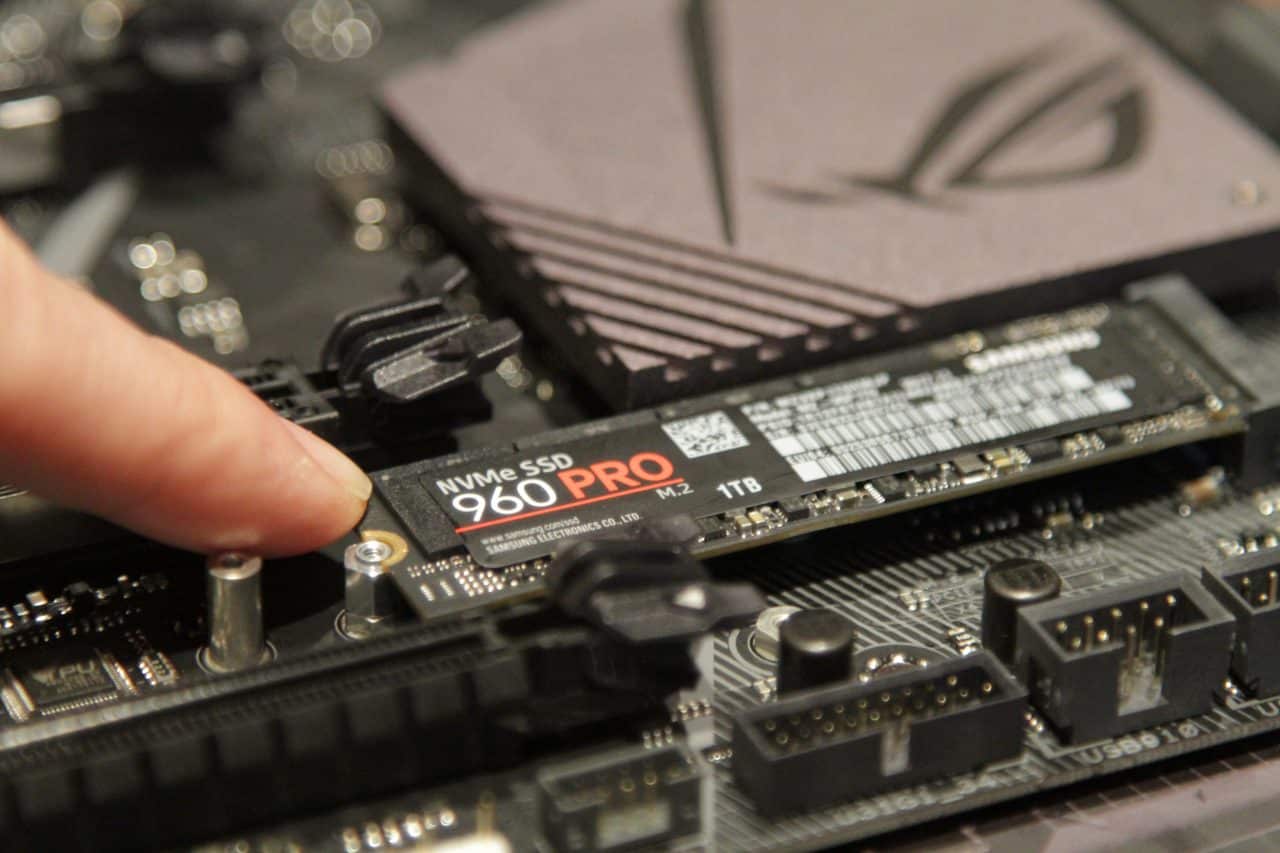
An M.2 NVMe drive plugs directly into the motherboard — no cables, no bay required.